Minecraft 1.21.11 · Fabric · Invite only

Play smoother.
Play Flip.

A clean, fast Minecraft client with beautiful visuals, a movable HUD, powerful macros and your settings synced to the cloud.

Features

Everything in one clean menu

Every module starts off – turn on only what you want. All of it is configurable, and the menu stays crisp at every GUI scale.

Render & ESP

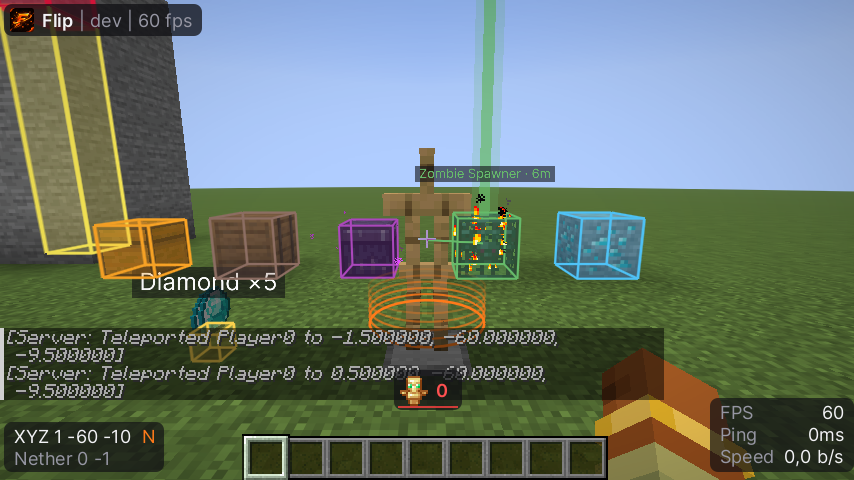
Smooth outlines for storages, spawners and players, clean name tags, block highlighter and overlays.

Custom worlds

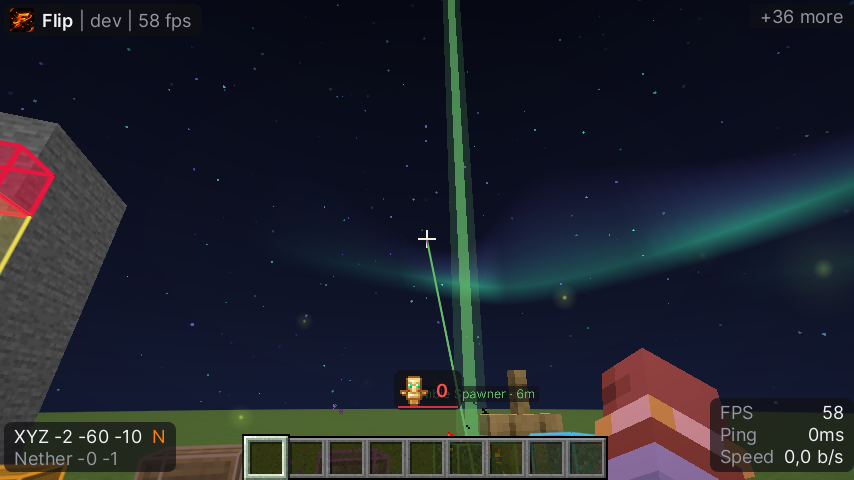
Black hole, aurora, nebula and Saturn skies, fireflies, realistic water, time and weather changer.

Movable HUD

Watermark, module list, coordinates, totem counter, now playing and more – drag everything where you like it.

Macro builder

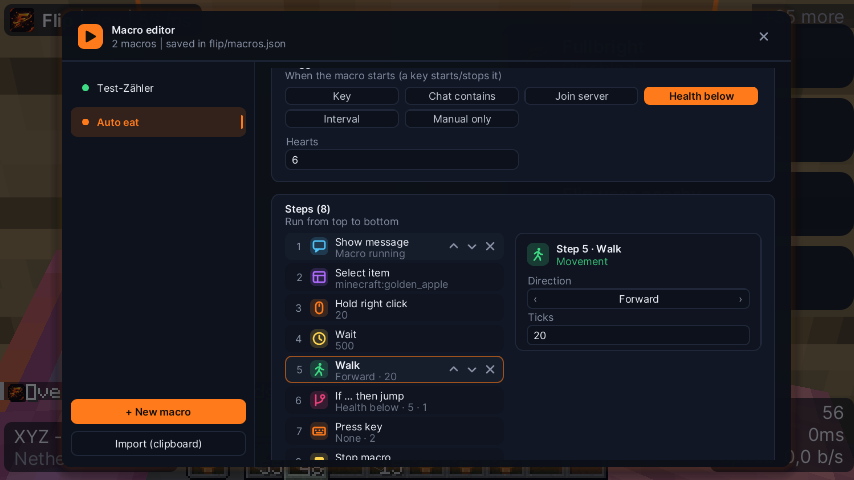
Build routines from triggers, steps, variables and conditions – no code needed. Share them as JSON.

Cloud configs

Named profiles synced to your account. Switch PCs and your setup is already there.

Notifications

Slide-in toasts for the things that matter: totem pops, players in range, low armor and more.

Cosmetics

Particles, trails, jump circles, custom flames, hand shaders and swing animations.

Utility

Auto tool, auto refill and a schematic builder that walks to every block by itself.

Showcase

See it in action
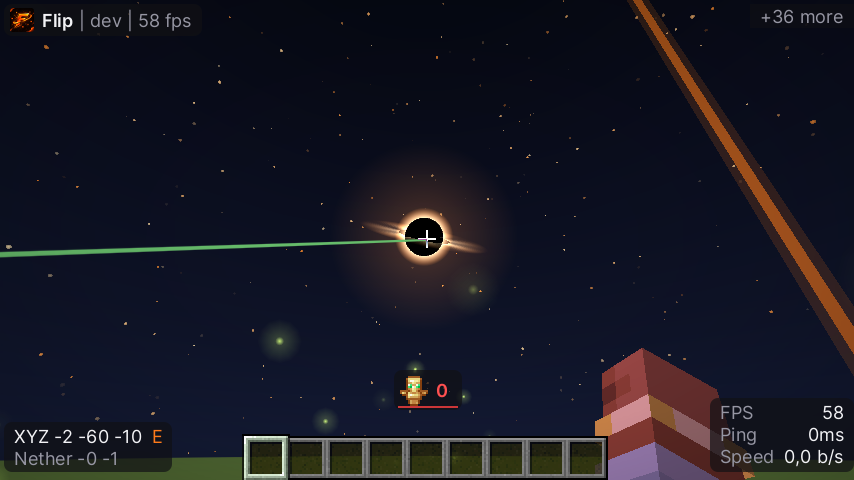
Black hole sky
Black hole sky
Northern lights sky
Northern lights

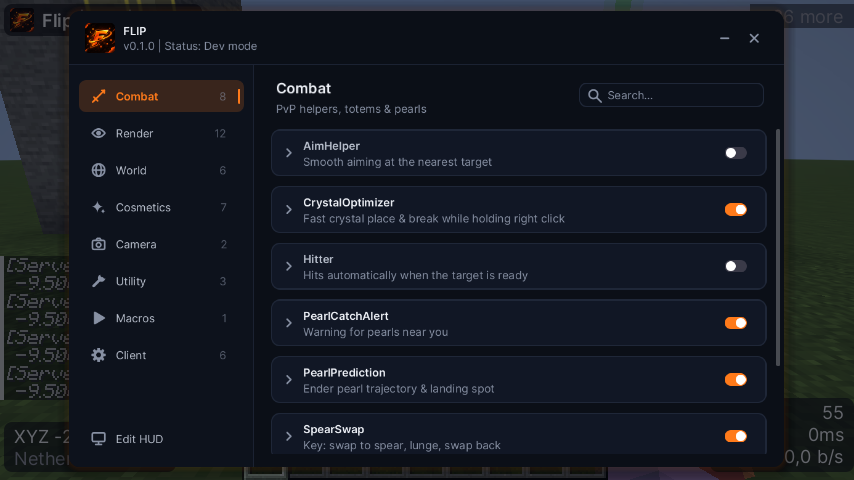
One clean menu

Categories that make sense, smooth icons, search and a keybind for every module.

  • Combat, Render, World, Cosmetics, Camera, Utility
  • Every setting in one place
  • Crisp at every GUI scale
Flip menu

Clean ESP, zero clutter

Soft, anti-aliased outlines that stay readable – and labels that never fade into fog.

  • Storage, spawner & loot ESP
  • Target marker & name tags
  • Custom colors for everything
ESP

Macros made simple

Pick a trigger, stack your steps, done. Every step has its own icon and a clear settings panel.

  • Keys, chat, health & interval triggers
  • Clicking, inventory, movement & logic steps
  • Import & export with one click
Macro editor
Get started

Up and running in a minute

Flip is invite only. With an invite code you create your account here – the loader is waiting in your dashboard.

Get an invite

Ask an admin for an invite code.

Register

Create your account with the code and open your dashboard.

Download & launch

Download the loader in your dashboard, sign in and press Launch (Java 21+).

Play

Pick “Flip Client” in the Minecraft Launcher and press Play. Open the menu with Right Shift.

Register with invite Sign in
Changelog

What's new

Loading…

FAQ

Questions

Which Minecraft version does Flip support?

Minecraft Java 1.21.11 with Fabric. The loader installs Fabric automatically.

How do I get an account?

Flip is invite only. Ask an admin for an invite code, then register on this website – the loader download is in your dashboard.

Can I use Flip on more than one PC?

Accounts are bound to one PC. If you switch computers, an admin can reset it for you. Your settings follow you with cloud configs.

Is my password stored?

No. The loader never saves your password – “Keep me signed in” only stores a session token that expires.

Where do I open the menu?

Press Right Shift in game. Every module starts off – turn on what you like.

Ready to flip?

Register with your invite code, download the loader and press Launch.

Register with invite Join Discord